An all-in-one study app: cards, scheduler and focus in one place
A typical study setup is three or four apps that know nothing about each other. The cards are in one, the exam dates are in a calendar, the timer is a separate download, and none of them can answer the question you actually have on a Tuesday night: how ready am I for the next exam? Reps holds those pieces in one app and connects them.
Three pillars
Most study tools serve one need: they store your material. Reps is built to develop three things, and the second and third are what carry a student through a term.
Studying
The work itself. Writing cards, drawing diagrams, retrieving answers, rating how each one went.
Technique
Spaced repetition, active recall, focused intervals, one idea per card. The methods are the default path, not an option you configure.
Habits
Folders that match your timetable, a scheduler that holds every date, and a record of the week you actually had.
Almost every flashcard app serves pillar one. Pillar three is the one nobody builds, and it is why students with good material still walk into exams underprepared. Knowing where the Krebs cycle happens is pillar one. Knowing the Cell Biology midterm is in four days and you are at 34 of 96 is pillar three, and that is the fact that decides your evening.
What is in the app
The review loop
See the front, answer in your head, flip, and rate yourself Again, Hard, Good or Easy. Again sends the card to the back of the pile so it returns this session, and the queue is shuffled every time.
Folders
Classes hold subjects, and each subject holds its own deck. Biology 111 holds Cell Biology and Genetics. Two levels, the shape of a real course load.
Photo cards
A photo on the front, the back, or both. The diagram out of the textbook, the slide off the projector, the page of notes you wrote at speed and can only half read.
Drawing cards
A drawing pad for anything easier drawn than typed: a mechanism with the arrows on it, a bone, a circuit. Apple Pencil is supported, and pressing harder gives a thicker line.
The scheduler
Every exam, quiz and assignment with its date, a live countdown, and a colour for how close it is. Each one attached to a class, each checked off when it is done.
Prep bars
Every dated exam carries a bar reading 34 of 96 learned, counted from the cards in that subject that are not due back, plus a button straight into the deck.
The focus timer
Four work-to-break splits: 15/3 to get started, 25/5, 20/10, or 50/10 for a long desk session. A longer break follows every fourth block, and the chime can be muted.
Progress
Cards reviewed for each of the last seven days, a study streak, focus sessions and minutes today, and a count of the cards that no longer come back often.
Sync and sharing
iPhone, iPad and Mac through your own iCloud, fully functional offline. Export a subject as a .reps file and it opens in a classmate's copy.
Folders that match your timetable
Two levels, no more. A class is a course you are enrolled in; a subject is a unit inside it, and the cards live in the subject. Biology 111 holds Cell Biology and Genetics. Organic Chemistry holds Reaction Mechanisms and Spectroscopy. Every card has one obvious home, so filing is a decision you make once rather than a project you take on in April.
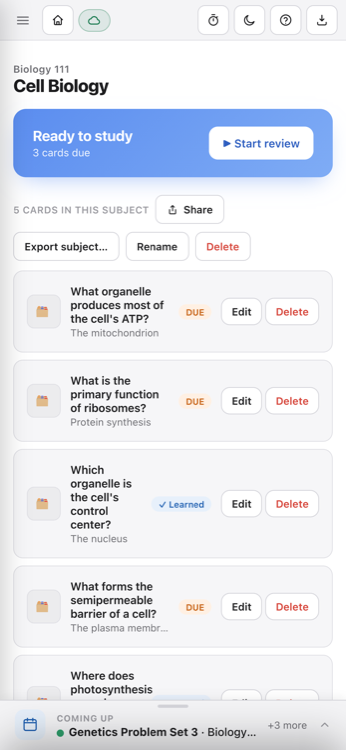
The ceiling is deliberate. Deeper nesting turns organizing into a hobby, and reorganizing folders is the most convincing form of procrastination available to a student. Each subject screen carries its own due count, a Start review button, and per-card Due and Learned badges.
The scheduler
The scheduler is the habits pillar made concrete. It holds two things. Events are dated assessments: a midterm, a lab practical, a language oral. Tasks are work due by a date without being an assessment, like a problem set or a lab report. Both sit on one board, grouped into this week and later, and both check off when finished. Each is colour-coded by how close it is:
- Overdue. Past its date and still unchecked.
- Today or tomorrow. The things that decide what tonight is for.
- This week. Near enough to plan around.
- Later. On the board, out of the way.
Colour is rare everywhere else in the app, which is what makes it work here: you can tell what needs attention before reading a single word.
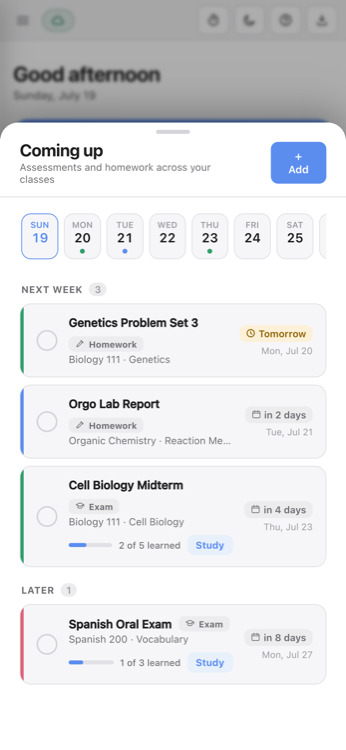
The scheduler is also pinned to the bottom of every screen as a single line showing the next item and how many are behind it. It stays there while you review, while you write cards, and while a block is running, so the deadline is never something you have to go and look up.
Why the deadlines and the decks belong together
Bundling features is easy and mostly cosmetic; a flashcard app with a timer bolted on is two products sharing an icon. The prep bar is the piece that justifies the consolidation, and it is the one thing a separate calendar cannot do. Each exam is attached to a subject, that subject has a deck, and every card in it has a state, so the countdown carries a second number. Not "Chem 210 midterm, four days," but "Chem 210 midterm, four days, 31 of 88 learned," with a button that opens those 88 cards.
A calendar can tell you the exam is Thursday. A flashcard app can tell you 31 of 88 cards are holding. Only an app with both can put those two facts in the same sentence, and that sentence is the one that decides your evening.
The count measures what is presently sitting in memory, not what you will score. A deck of thin cards will happily report 88 of 88 learned while you fail the exam, which is why the page on writing cards exists. What it does reliably is rank your problems: with four assessments on the board, the one reading 12 of 140 is the emergency regardless of which is soonest.
One boundary is worth stating plainly. Reps puts the date, the urgency and the readiness in front of you and gives you a one-tap path into the right deck. It does not silently reorder your decks by exam proximity. You make the call; the app makes sure you make it with the numbers in view.
The focus timer
The standard failure of a phone-based timer is that starting it means picking up the phone, and the phone is usually why you needed a timer. A timer that lives inside the app you are already studying in actually gets used. On iPad and Mac you can leave a block running beside the cards.
Four splits, and the build-up
Work minutes over break minutes: 15/3, 25/5, 20/10, 50/10. They work as a ladder rather than a menu. 15/3 is for nights when starting is the hard part and fifteen minutes is a bearable commitment. By the third or fourth block you are usually good for 25/5. 50/10 is for when stopping would cost more than continuing.
Blocks accumulate. Reps counts each one you complete and hands you a longer break after the fourth. That structure is what lets the method hold up over three hours instead of burning out after forty minutes. The home screen keeps the running totals: focus sessions and minutes focused today. There are no arbitrary custom durations, for the same reason there are no custom scheduling intervals: given a number field, people tune it instead of using it.
One number when you open it
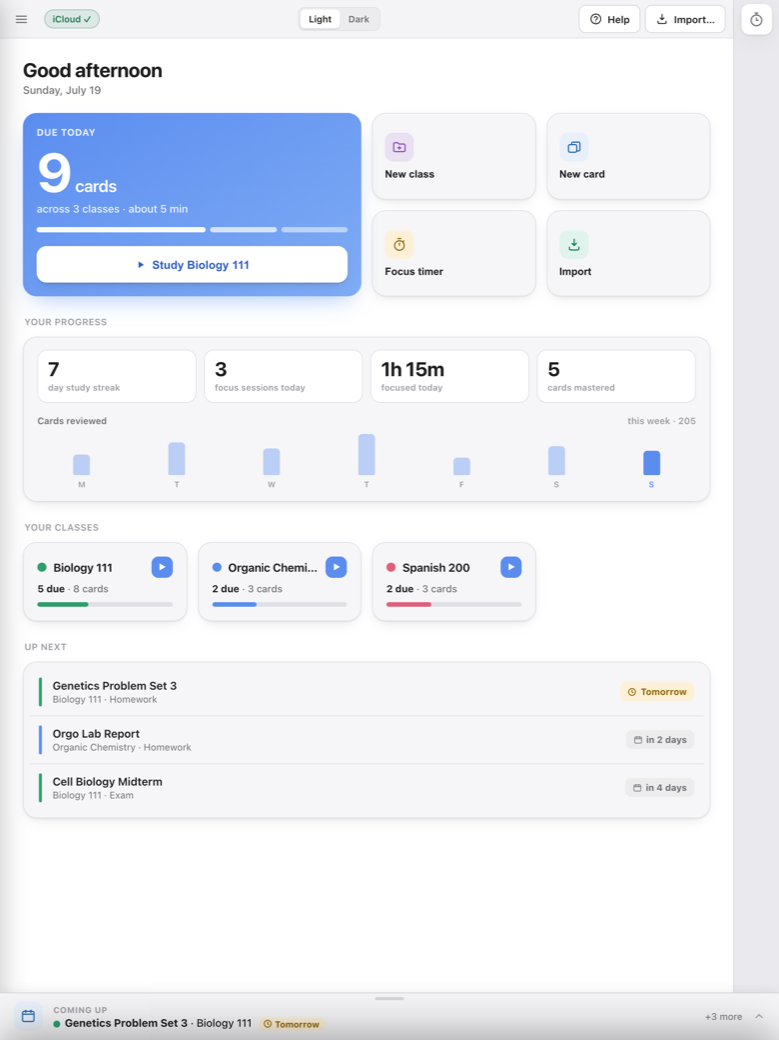
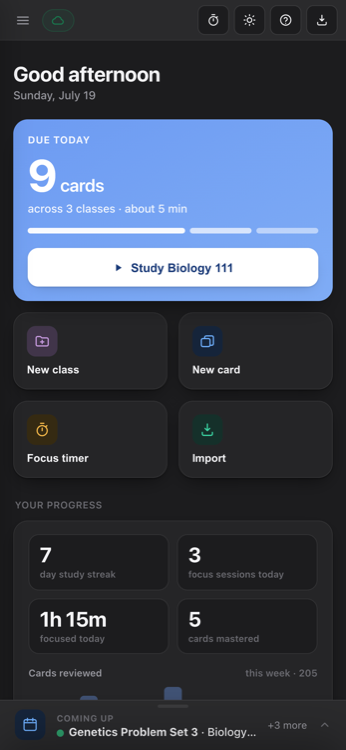
The home screen opens on one figure: cards due today across everything you are taking, an estimate of how long it will take, and a breakdown by class. The primary button starts a session in the class with the most due. Deciding what to study is the step where an evening most often dies, so the app makes that call for you. You can override it, you just do not have to.
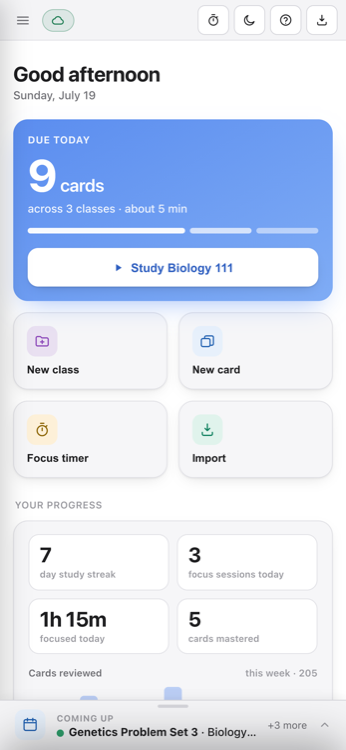
Underneath sit the numbers that describe your habits rather than your material: study streak, focus sessions and minutes today, cards mastered, and a bar for each of the last seven days. One flat Tuesday is explainable. Four flat days in a row is worth noticing on a Thursday rather than the night before something. The statistics stop there on purpose: no retention curves, no workload forecast, no per-card history.
Three devices, one payment
The same app on iPhone, iPad and Mac, bought once as a Universal Purchase that covers all three. No subscription, no in-app purchases, no free tier waiting to nag you into an upgrade.
Folders, schedule and progress move between devices through your own iCloud account. There is no account to create and no server behind any of it: no ads, no trackers, no analytics. The App Store privacy label reads "Data Not Collected" because there is nowhere for data to go. It works with no signal at all, hospital basement and library sub-floor included, and catches up when you are next online.
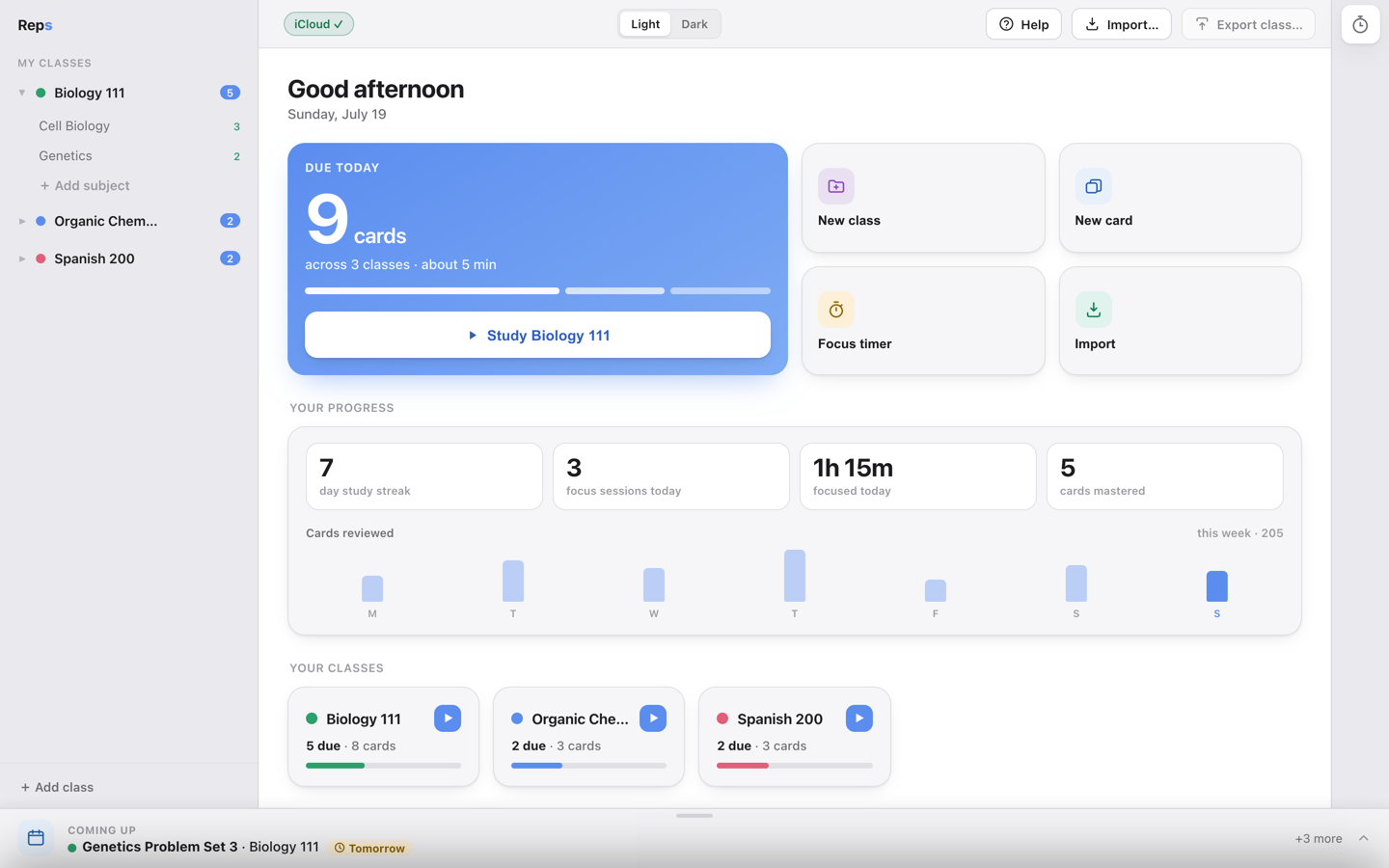
Light and dark are both designed properly, not one inverted into the other. A lot of studying happens late.
Who the consolidation helps
It is worth the most if you are carrying four or five classes with real dates attached: midterms, labs, a language oral, problem sets. It helps when the material is factual enough that cards are the right tool: medicine, nursing, dentistry, biology, chemistry, history, law. The more separate deadlines you track, the more the prep bars earn their place.
It is worth less if you study one subject at a time, or if the work is essays rather than recall. And if you already have a system that works, consolidation is not worth abandoning a working habit for. The students this helps are the ones whose system is three apps they open inconsistently.
Requirements
iPhone, iPad and Mac. Minimum iOS 14, minimum macOS 10.15. The Mac build is universal, running natively on Apple Silicon and Intel.
Reps is an all-in-one study app for iPhone, iPad and Mac: flashcards on SM-2, folders by class and subject, a scheduler for every exam and assignment, and a focus timer. No account, no server, no subscription.
More about the app on the Reps home page. Questions before you buy: [email protected].
The name comes from the gym. Reps build muscle, repetition builds memory, and neither happens the night before. That is the whole argument for putting the countdown and the cards on the same screen.
FAQs
What does an all-in-one study app actually replace?
Three things that usually live in separate apps: your flashcards, the schedule of exams and homework with their dates, and a focus timer. It does not replace your note-taking app, your textbook, or your calendar.
How is the scheduler different from a calendar?
A calendar knows the date. The scheduler in Reps also knows the deck. Each exam is attached to a class folder, so the countdown carries a prep bar underneath it reading something like 34 of 96 learned, and a Study button that opens that subject's cards.
How does the prep bar know how much I have learned?
It counts the cards in that subject which are not currently due back, and shows the count against the subject total. It is a measure of what is presently holding in memory, not a grade prediction.
Does Reps sync with my school's calendar or course website?
No. There is no calendar integration and no course-website integration. You enter your exams and homework yourself. Since there is no server behind Reps, there is nothing for an outside service to connect to.
Can I change the focus timer lengths?
You choose between four splits: 15/3, 25/5, 20/10 and 50/10 work-to-break minutes. There are no arbitrary custom durations. After every fourth completed block you get a longer break, and the end-of-block chime can be muted.
Can I take notes in Reps?
No. There is no notes section, no document storage and no PDF reader. A card can carry a photo of the notes you already wrote, on the front, the back, or both, and there is a drawing pad for anything you would rather draw than type.
Do all the features work on iPhone, iPad and Mac?
Yes. It is the same app on all three, and it is a Universal Purchase: buying it once covers all of them. Your folders, schedule and progress move between them through your own iCloud account.