Reps is a spaced repetition flashcard app for iPhone, iPad, and Mac
You've read the same page four times and still couldn't say what's on it. Reps puts each fact back in front of you right before you'd lose it.
Cramming feels like work and is gone by Thursday. What sticks is reviewing something right before it slips, and nobody times that by hand across five classes. Reps - Study Companion was built as an all-in-one study suite, with this timing built in: make cards, rate them, and it works out when you see each one again.
Get Reps on the iOS and macOS App StoreOne payment · no account
How a review works
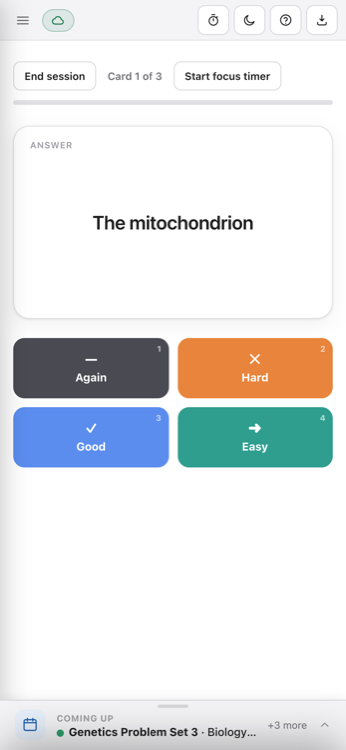
You see the front of a card, answer in your head, flip it, and rate how that went: Again, Hard, Good, Easy. Again sends it to the back of the pile; you see it again this session. Get it right and it returns in a day, then three days, then weeks. SM-2 works out every date for you.
Classes hold subjects
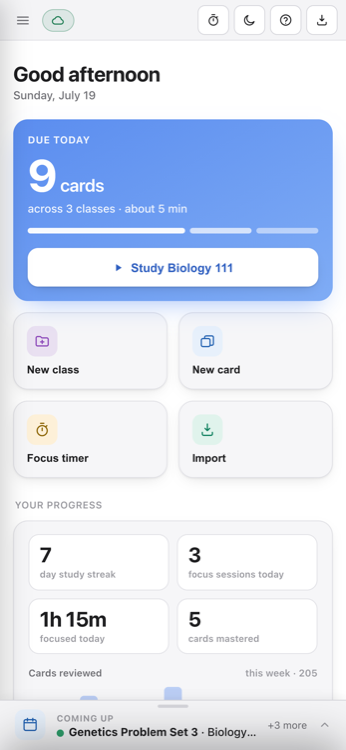
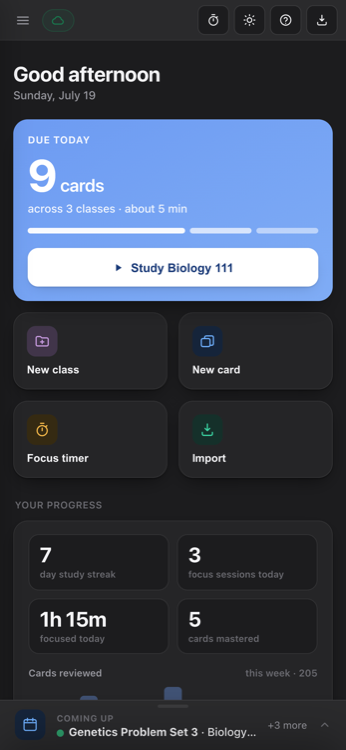
Biology 111 is a class. Cell Biology and Genetics are subjects inside it, each with its own deck. The home screen opens on one number: cards due today; then breaks it down by class. You write the cards yourself; here's how to write ones you can actually answer. You can also share decks with friends, family, and classmates by exporting them; this enables better group studying and helps save time if you need to study but don't have time to create a deck yourself.
Photos and drawings
A card can carry a photo on the front, the back, or both. There's a drawing pad too, so you can add custom diagrams, chemical structures, labels, and more. With an Apple Pencil, pressing harder gives a thicker line. Useful for anatomy and orgo.
Exams, homework, countdowns
Coming up holds your exams and homework, each with a date and a live countdown. Under every assessment is a prep bar: 34 of 96 learned, counted from cards in that subject that aren't due back yet.
The focus timer
Four splits, work and break minutes: 15/3, 25/5, 20/10, 50/10, with a longer break after every fourth block. The chime can be muted if you're in a library.
The last seven days
Progress is a bar for each of the last seven days showing cards reviewed, plus a study streak. There's a count of the cards you've mastered too.
No account, no server
Reps has no sign-up, no login, and nowhere to send your data, because there is no server. No ads, no trackers, no analytics; the App Store privacy label reads Data Not Collected.
Sync runs through your own iCloud, and the app works fully offline, airplane mode included. A subject also exports as a .reps file that opens in a classmate's copy of Reps. Reps is published by BSR LABS LTD.
Three devices, one payment
No subscription, no in-app purchases, and the one payment covers all of your Apple devices the app supports: iPhone, iPad, and Mac. It needs iOS 14 or macOS 10.15.
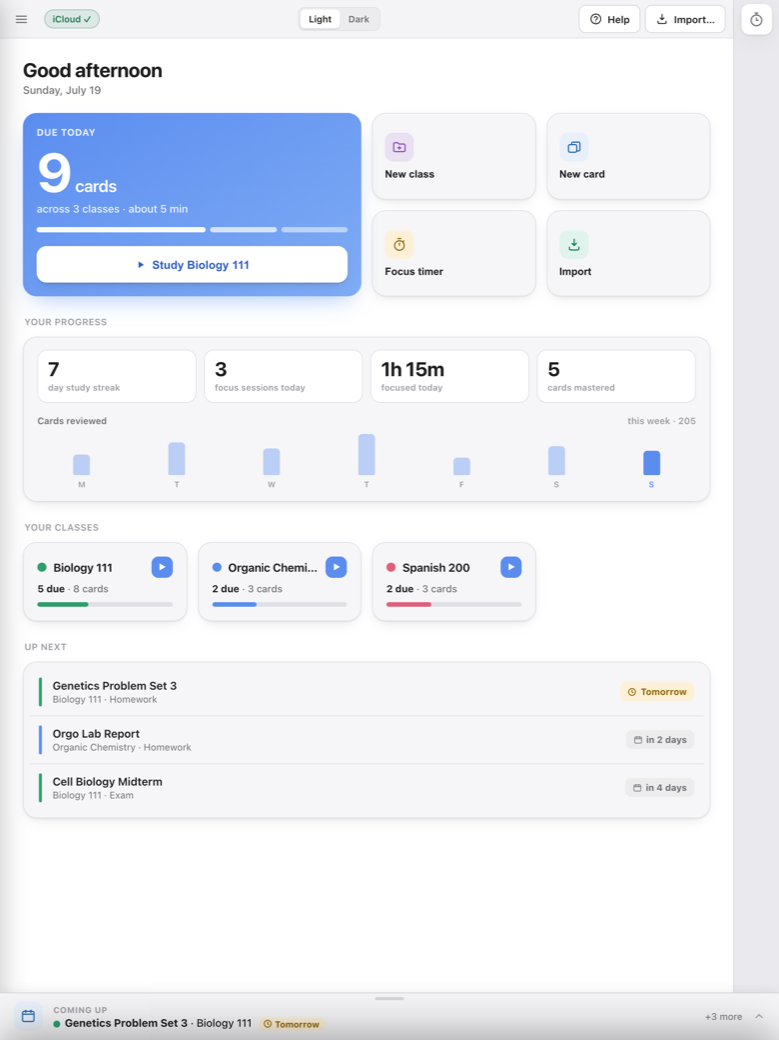
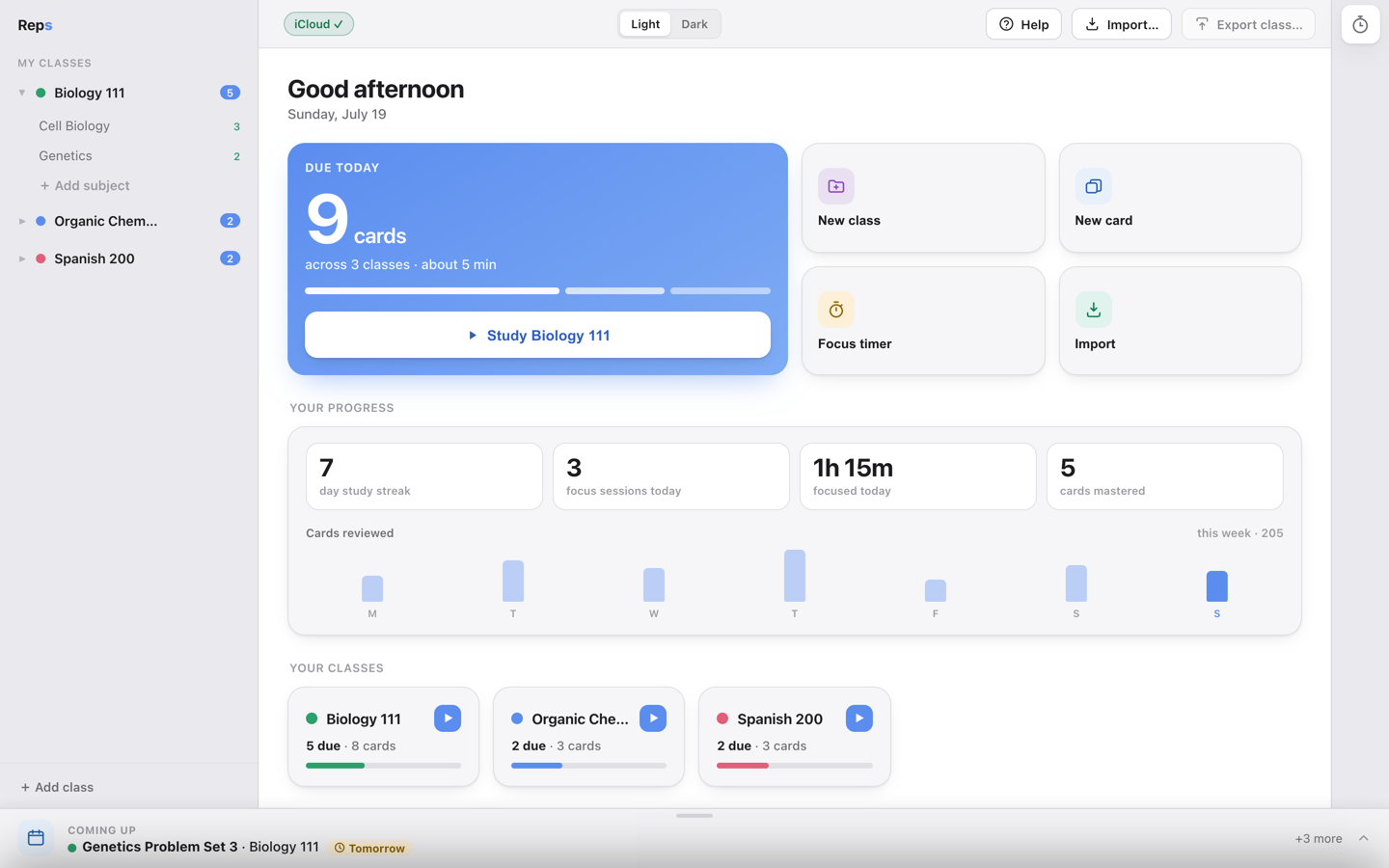
The app comes in light and dark.
FAQs
Does Reps work offline?
Yes, fully, including in airplane mode. Your cards and their schedules live on the device. Nothing about a review session needs a connection. When you reconnect, changes sync through your own iCloud.
Is there a subscription?
No. There are also no in-app purchases. Universal Purchase means the one payment covers iPhone, iPad, and Mac. Subscriptions have gotten out of hand for simple products and services, and this app will not follow that trend. You buy it once and keep it forever.
Does Reps sync to my Mac?
Yes, through your own iCloud Documents container. Make a card on your iPhone, it shows up on your iPad and your Mac. The sync goes between your devices and Apple. There's no Reps server sitting in the middle of it.
Do I need an account?
No. There's no sign-up, no login, no email to hand over. You open the app and start making cards. The App Store privacy label for Reps reads Data Not Collected.
Can I share decks with classmates?
Yes. Any subject exports as a .reps file. Send it however you normally send a file, and when your classmate opens it, it lands in their copy of Reps as a subject they can study.
Does it work on iPad?
Yes. iPhone, iPad, and Mac, all from the same purchase. On iPad, Apple Pencil works in the drawing pad, and pressing harder gives a thicker line.
What algorithm does the scheduling use?
SM-2. You rate a card Again, Hard, Good, or Easy, and SM-2 sets the next date: roughly a day after a first correct answer, then three days, then intervals that stretch out into weeks.
Which iOS and macOS versions does it need?
iOS 14 or later on iPhone and iPad. macOS 10.15 or later on Mac. The Mac build is universal, Apple Silicon and Intel.
Is my data used to train anything, or sold to anyone?
No, and there's no mechanism by which it could be. Reps has no server. Nothing you type leaves your devices and your own iCloud account. The full terms are in the privacy policy at https://bsrlabs.ca/reps-privacy-policy.
Something's broken. Who do I email?
Write to [email protected]. It's a small operation and a real person reads it. There's more at /reps/help.